Translate a PDF from English into Persian
Upload an English PDF. The cost is estimated from the word count, and you see it before you start. If your PDF has selectable text, you can read one translated paragraph for free before starting. At the end you get a right-to-left Persian PDF and an editable Word file. This is AI translation, so review it before you use it.
What you get
A right-to-left Persian PDF, a Word file with the Persian font embedded, and a free automatic book summary. Headings, tables, lists, references and figure positions are rebuilt wherever that works cleanly; where it doesn't, the original stays and is flagged.
Who it's for
Anyone with an English PDF who needs it in Persian: a paper, a report, a manual, or a chapter of a book.
Why it helps
Paste a PDF's text into an online translator and the tables and headings often fall apart. Here the document itself is rebuilt in Persian, with headings and tables kept where possible, and you get a Word file to fix anything by hand.
Which file to upload and what you get back
- Upload an English PDF without a password, up to 100 MB and 1,000 pages, one file at a time.
- Download the Persian translation as a right-to-left PDF and an editable Word file.
- The page size follows the original. The layout is not an exact copy; check tables, figures and any parts flagged for review.
From your PDF to a translation you can review
- Create an account or sign in, then upload your English PDF.
- Check the estimated cost. If the PDF has selectable text, read the free translated paragraph before deciding to start. Nothing is charged until you press Start.
- When the translation is ready, download the PDF and Word files. Read the result and make any corrections in Word.
Translating a scanned PDF
If you cannot select a sentence in your PDF, it may be a scan rather than a file with selectable text. For a scanned PDF, text has to be read from the page images before it can be translated.
The estimate for a scanned file is based on its page count. The final amount is set after translation and may differ from the estimate. Scanned files do not have a translated-paragraph preview before you start.
- If you have a version with selectable text, use that file. Otherwise, choose a straight, clear scan.
- Check names, numbers and tables against the original after translation.
Compare an original page with its Persian translation
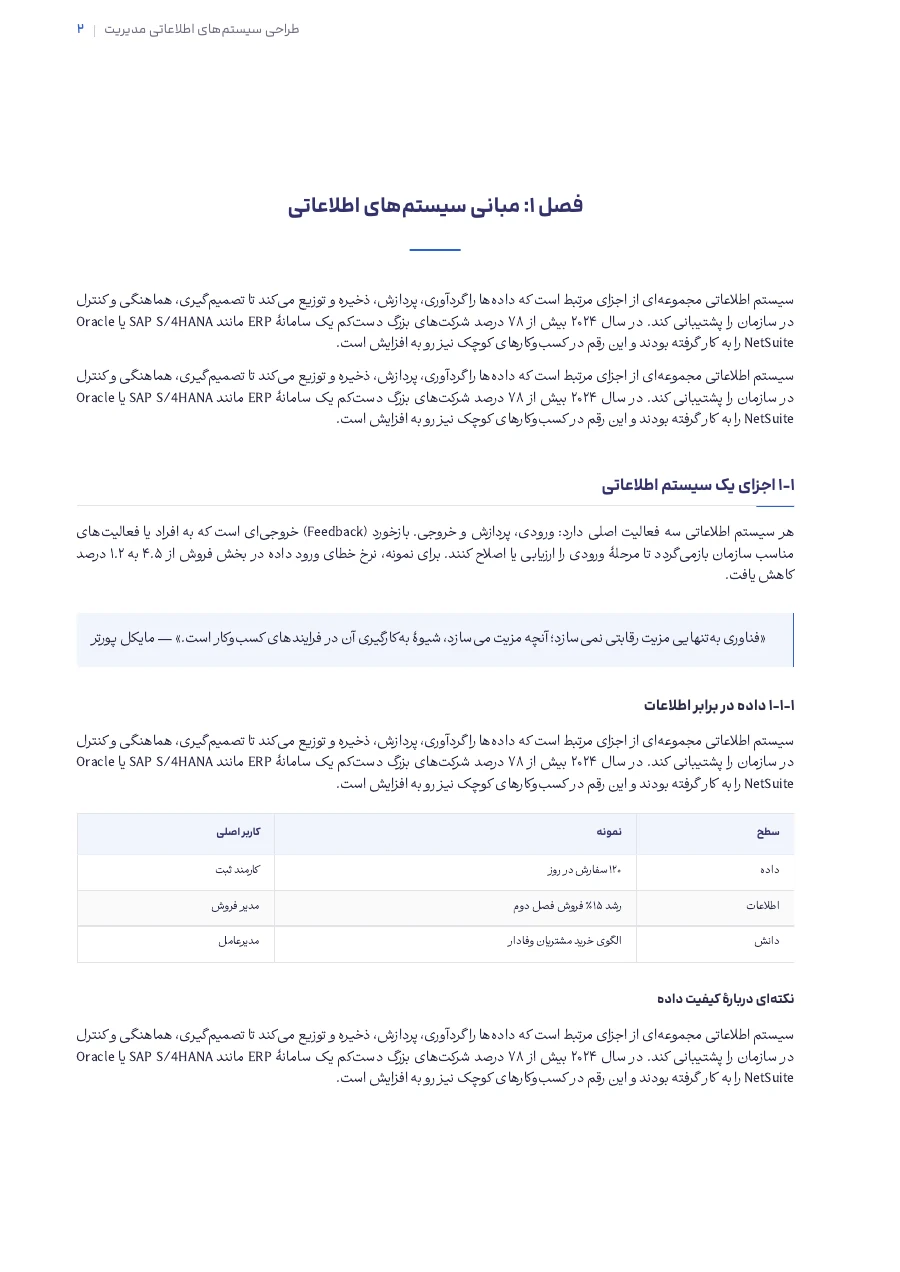
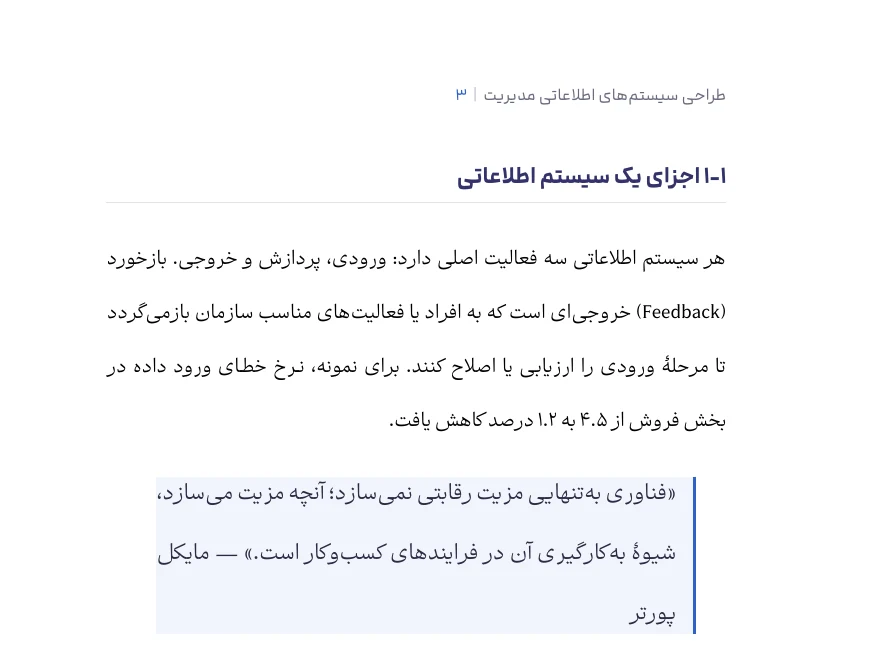
Our samples page shows original pages and translated output side by side, including charts and tables. Use the captions to see what was translated and where some English text remains.
See the original and translated samplesQuestions
Can you translate a scanned PDF?
Yes. We read the text of scanned pages from their images, then translate it. A straight, clear scan gives a better result. The price of a scanned file is estimated from its page count, and the final amount is set after translation.
What about password-protected or very large files?
Password-protected files can't be used. Files can be up to 100 MB, one at a time, and up to 1,000 pages.
Can I change how the Persian PDF looks?
Up to a point. You choose one of four cover designs, turn the running header on or off, and set the text alignment. The page size follows the original.
Related services
-
Book translation
Upload an English book of up to 1,000 pages as one PDF. Get a Persian PDF, an editable Word file and a free summary. You see the cost before you start.
-
Paper translation
Upload a paper as a PDF and get it in Persian as PDF and Word. Names and the reference list keep their original form, and terms are kept consistent.
-
English to Persian
Translate an English document into Persian (Farsi) with AI. Download an editable Word file and a right-to-left PDF, and check names, numbers and technical terms against the original.