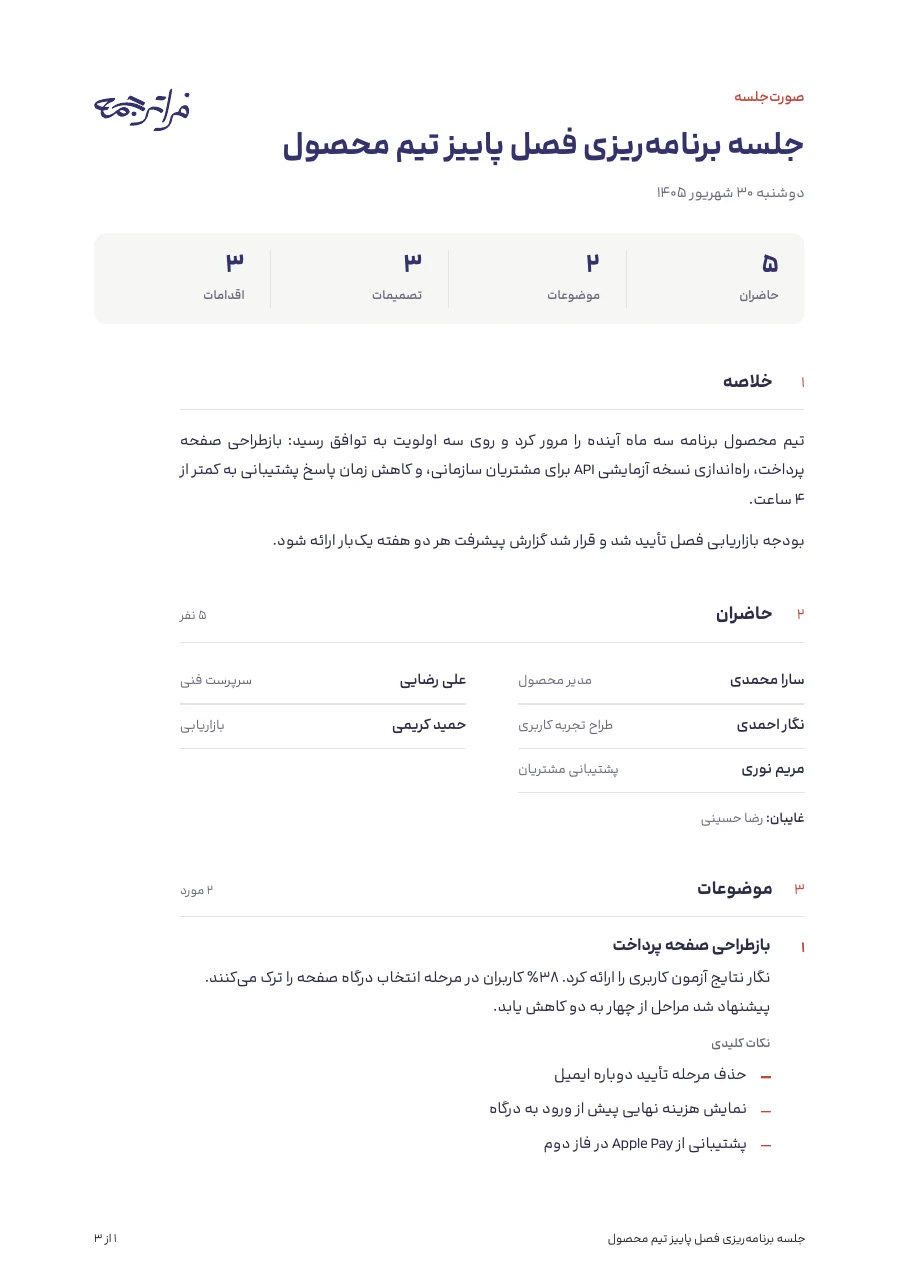
Why minutes from the recording?
In most meetings nobody has time to listen and take notes at once. A month later, nobody replays a two-hour recording; they look for the decisions and the action items.
You upload the recording, the conversation is written out, and tidy minutes are made from that text, with decisions and action items set out on their own.
Step by step
Nothing is taken from your balance until you press start.
- Log in and open the meeting minutes tool.
- Upload the recording.
- Choose the output, the spoken language and the minutes language.
- See the price and press start. You don't need to keep the page open.
- When it is done, download the PDF, the Word file and the one-page summary.
Which file, and how to record better
MP3, WAV, M4A, OGG, FLAC or WebM, up to 200 MB and 4 hours. A file recorded on a phone usually works as it is.
The clearer the sound, the more accurate the text and the minutes. A few tips:
- Put the phone or microphone in the middle of the table.
- Close doors and windows and turn down fans or music.
- Ask everyone to say their name and role at the start. It helps names come out right.
- When several people talk at once, that part may be incomplete.
What you choose before you start
After the upload you choose:
- The output: full minutes, a one-page summary, key points only, or the transcript only (every word, with speaker names and times).
- The spoken language: Persian, English, or detect automatically.
- The minutes language: Persian or English, whatever language was spoken. The transcript stays in the spoken language.
- A mind map of the topics and decisions, if you want one, at no extra cost.
- Your company logo, if you want it on the minutes.
What the minutes contain
Full minutes set out these parts separately:
- Attendees and absentees
- Summary
- Topics raised
- Decisions
- Action items, with owner and due date when they were said
- Open questions
- Next meeting
You get a PDF, a Word file and a one-page summary PDF, plus the mind map PDF if you asked for one.
How the cost is worked out
Per minute of the recording. The transcript alone costs less. The price for your file is shown before you start.
When you press start, the amount is held. If the job fails or you cancel it, it goes back to your balance.
Before you send the minutes
The minutes are written with AI from the transcript. They can misspell a name, give one person's words to another, or record a suggestion as a decision. Read them before you send them, and fix anything in the Word file.
- Check the attendee names.
- Go over the decisions with whoever ran the meeting.
- Check the owner and due date of each action item.